There are many vector databases available today, such as Chroma, Pinecone, Qdrant, Milvus, pgvector, and Elastic. Each offers unique capabilities and is useful in different situations. For developers integrating vector search into their applications for the first time, Chroma and Milvus tend to provide excellent documentation and straightforward implementations.
However, many production systems still rely on traditional sparse or boolean retrieval engines like Elasticsearch. In those contexts, Elasticsearch remains extremely efficient and is arguably one of the best solutions available. That said, Elasticsearch joined the vector-search space relatively late (basic dense-vector support was introduced around version 8.x), and historically you needed custom scripts for many advanced features.
I recently upgraded my Elasticsearch setup to version 9.x to explore the new additions. In this post, I briefly go over its advantages and disadvantages.
Getting started
You can visit their documentation (here) to get started. YTo spin up a local environment, simply run:curl -fsSL https://elastic.co/start-local | sh
This command launches three containers (elastic, kibana, and kibana_settings) and starts the stack.
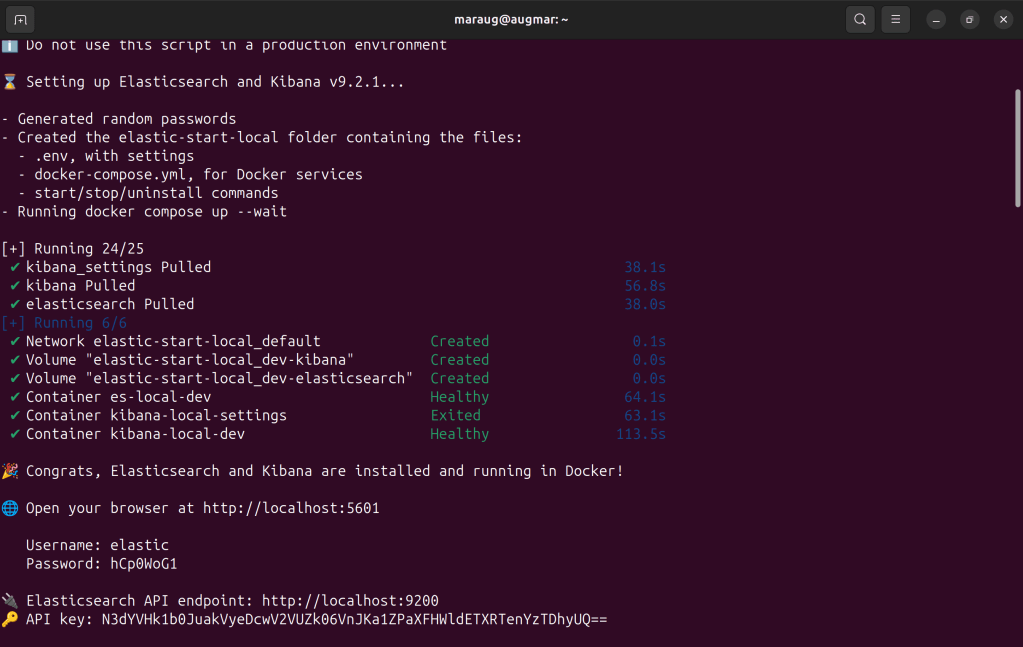
You can log in using the credentials provided during setup and explore the available options. At first glance, the documentation and overall Kibana user experience are significantly improved. Creating indices, inspecting data, and running queries directly from the GUI is now much easier, and they even provide sample code for multiple languages.
Example setup
I created a small repository where you can insert documents and run searches. It’s intentionally minimalistic but enough to demonstrate basic Elasticsearch functionality.
Install the requirements and start the FastAPI server using:
uvicorn app:app --reload –env-file .env
Let’s then add some documents and populate our test index:
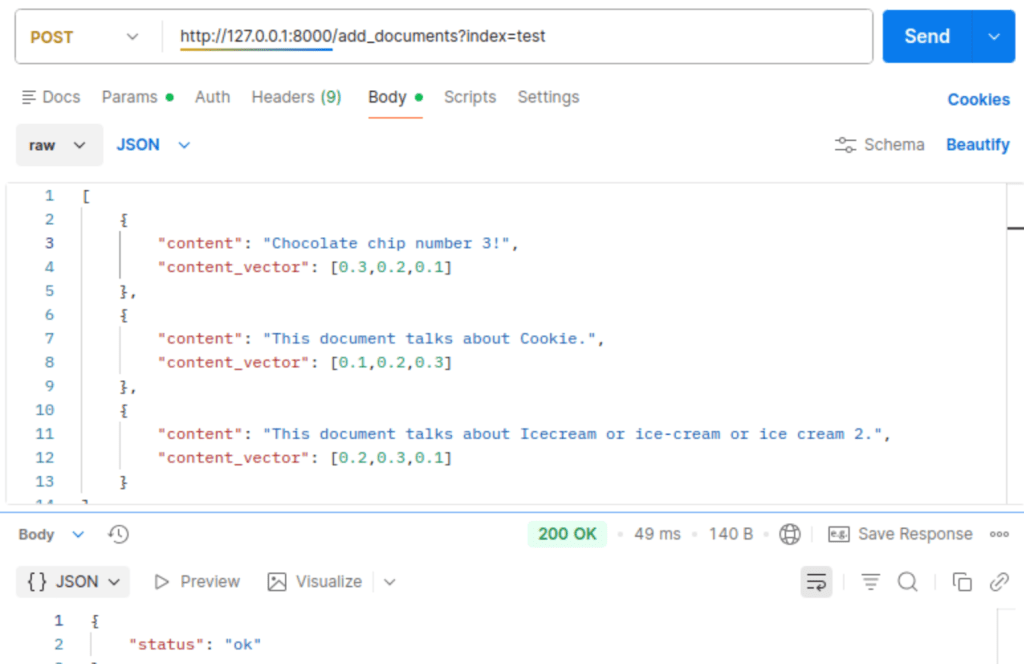
Here, I would like to create a hybrid search, which often performs better than pure dense-vector search. The content field is a string, and content_vector is a dummy list of floats. In my own projects, I typically separate vectorization from search because it provides more flexibility later on.
Elasticsearch 9.x makes exploring your index much easier through Kibana. The data, mapping, and settings are more accessible and better organized.
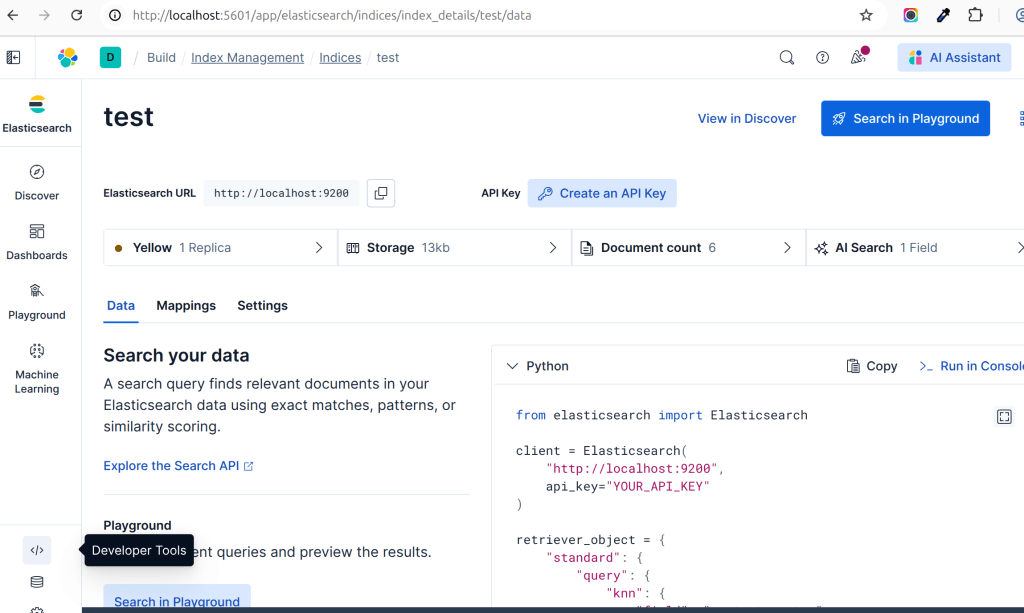
They also provide simple examples for hybrid search using RRF as you can see in the python sample code in above screenshot.
Once everything is set up, we can run a hybrid search query against our index. I used the following request:
{
    "query_string": "cream",
    "query_vector": [
        0.2,
        0.3,
        0.1
    ]
}
Running this returns two hits, as expected.
While Elasticsearch 9.x has improved substantially, I still feel many of the details in the query could be abstracted away for developers. Most users do not need to understand concepts like KNN or RRF (Reciprocal Rank Fusion) immediately. Writing and debugging queries can still feel intimidating, particularly for newcomers.
Elasticsearch would benefit from an additional abstraction layer to simplify the developer experience—otherwise new users may prefer more approachable vector-database alternatives.
That said, Elasticsearch remains extremely reliable and robust.
Github
You can find all the relevant code for the examples in this post here:
 AI-Mis-Think